
Connect your computer. Get work done
XiuWork is a channel-based workspace. Connect your computer first, then describe the goal, materials, and requirements. Agents keep working, and progress, questions, and results all come back to the channel.
Mac client coming later
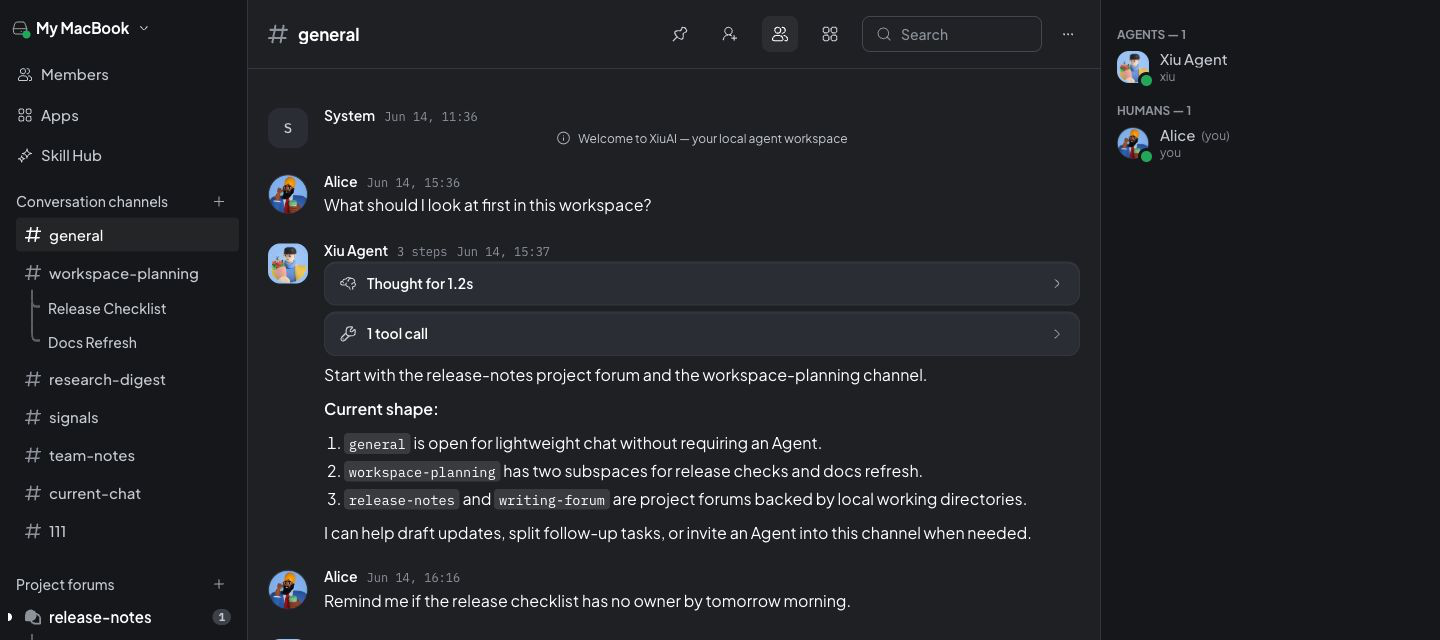
When creating an agent, Claude Code, Codex, and more areready to choose
XiuWork connects to your computer first and prepares Claude Code, Codex, OpenClaw, Hermes Agent, and Pi. Choose the one you want when creating an agent. That agent can then take tasks, use Skills, and open apps through your computer.
Choose directly when creating an agent
Auto-configuredNo repeated setup. Claude Code, Codex, OpenClaw, Hermes Agent, and Pi are already here




Context, progress, and results return tothe channel
Create one channel for each project or topic. Keep materials, discussion, tasks, conclusions, and next steps together, so you can switch agents or come back days later and keep going.
Channels
Keep the same piece of work in one channel, without searching across chats, docs, and tools for context.
Agent
Invite an agent into the channel. It takes tasks, posts progress, and delivers results. When it needs your judgment, it comes back to the messages.
Records
Keep the process, conclusions, files, and next steps. Come back days later without rebuilding context.
Less copy and paste, morecontinuous work
XiuWork connects your computer first, then puts channels, agents, Skills, and apps on the same work path.
You copy and paste across chats, docs, and tools to rebuild context
State the goal and materials in one channel, and the agent continues with the context
The agent is not connected to your computer and stays inside the conversation
After you connect your computer, agents can take tasks through it
Every time you switch agents, you explain how the work should be done again
With Skills installed, it knows which actions can run in a consistent way
Specialized tasks send you out to separate model, material, or template tools
Open the right app when needed, and bring the result back to the channel
Skills help agentsknow how to work
Installing a Skill tells an agent which tools it can use, how to process materials, and how results should come back. You do not need the underlying setup. You only need to see what this agent can do now.
Use tools
Turn common commands, external services, or team workflows into Skills so agents can run them consistently.
Process materials
Teach agents how to read files, organize content, keep sources, and return results.
Deliver results
Send reports, summaries, checklists, or structured data back to the channel so you can continue reviewing.
For specialized work,open the right app
Not everything should happen in chat. Use XiuRouter to switch models or review calls, xiutalk to organize X discussions and KOL conversations, and Prompt Kit to reuse prompts. Results still stay in the current channel context.
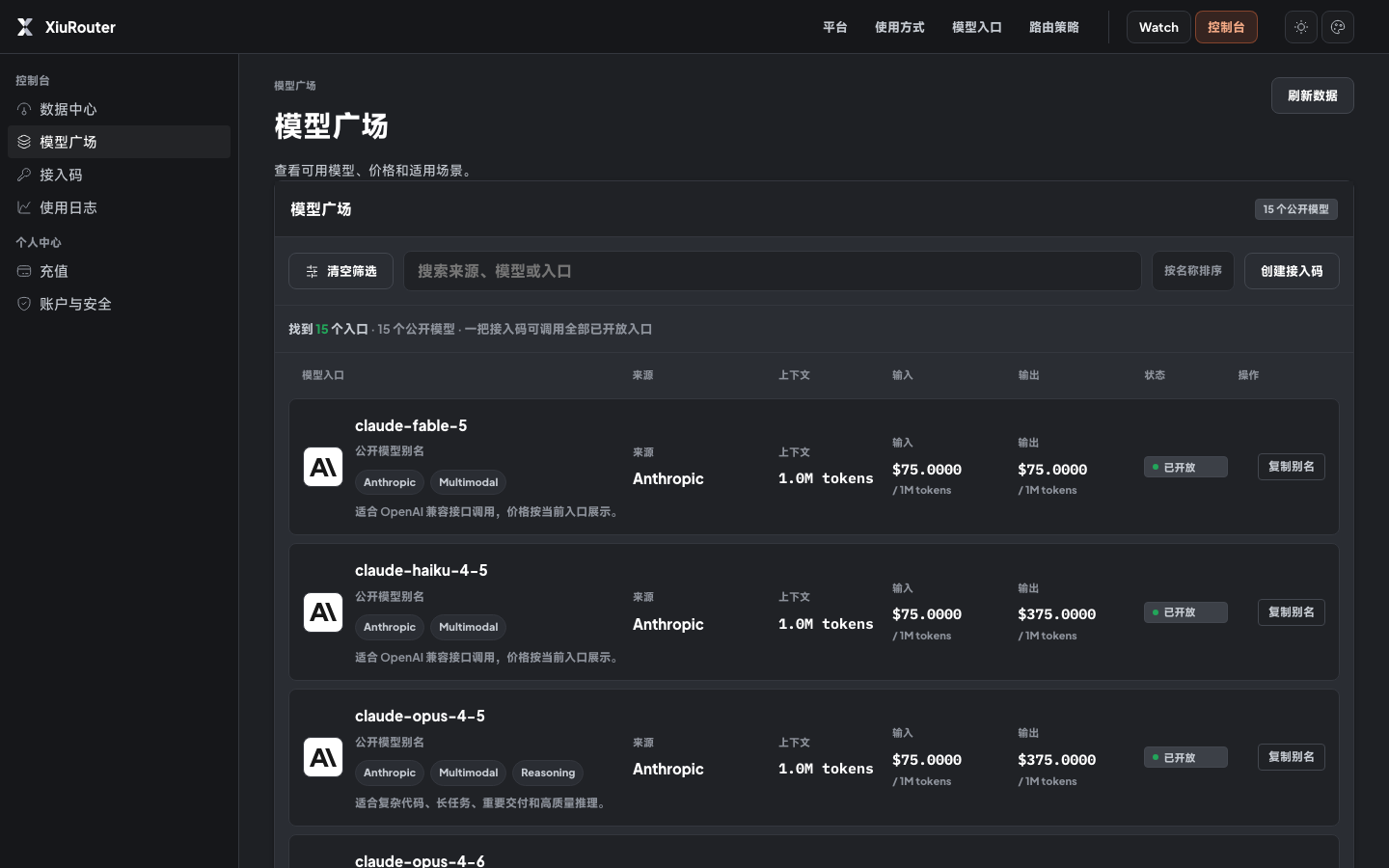
More apps
More official apps, open-source tools, and apps built by your team can be connected later.
Start with one sentence, bring the result back tothe same channel
Connect your computer first, then describe the work in a channel. The agent takes the task, uses Skills or opens apps when needed, and brings the result back to the channel.
State the goal
Write what needs to be done in the channel, then add background, materials, requirements, and decisions already made.
Let the agent take over
After the agent takes over, it sends progress, results, and questions that need your judgment back into messages.
Open apps when needed
Open XiuRouter to switch models, xiutalk to organize X discussions, or Prompt Kit to reuse templates.
Open XiuWork and put the work in achannel
You can enter from the browser now. The Mac client is still being prepared and will become the long-term entry point later.
Mac client coming later
The Mac client is not available for download yet.